The Smarter Drafter connector lets you draft firm approved documents from inside Claude.
 ·
2 minute read
·
2 minute read
The Smarter Drafter connector is now available for Microsoft Copilot Studio.
Your team already works in Microsoft 365, and more of them are working with Copilot beside them. Now they can ask Copilot for a document and get one built from your firm’s own approved precedents.
Copilot brings the conversation. Smarter Drafter brings the accuracy. Together they do something neither can do alone.
No second window. No hunting for the right template. No copying answers from one tool into another.
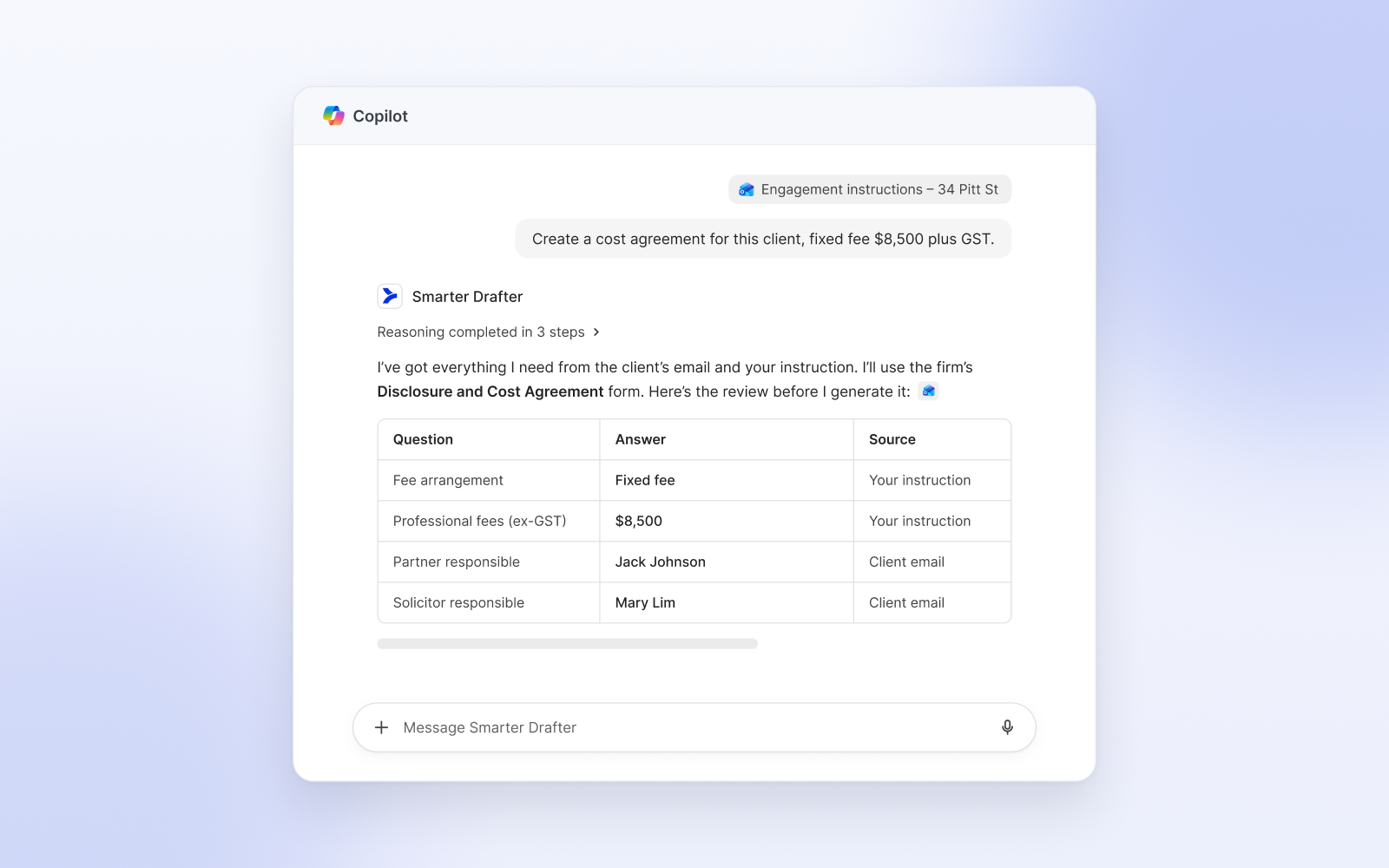
A Friday deadline, in four steps
A client needs a deed of release by Friday.
The associate asks Copilot what forms the firm has for deeds of release. Copilot searches your Smarter Drafter account and offers the match.
They describe the matter in plain language. Copilot asks only for the details the form needs, nothing more.
A date is wrong. They fix it in one sentence before anything is final.
They say “generate it.” The finished Word or PDF document comes back, built from the firm’s approved wording.
Same terms. Same structure. Same result as filling in the form by hand, minus the form.
Copilot asks. Smarter Drafter drafts.
Until now, firms have had two good things that did not quite meet. A fast general assistant. And an automation platform holding years of carefully approved precedents.
This connector joins them. Copilot works out what you need and gathers the details. Smarter Drafter’s automation engine produces the document.
That means no invented clauses, no made-up citations and no quiet changes to your standard terms. Copilot never writes the document. Your precedents do.
What your team can do
- Find the right precedent. Ask in plain English. Get the matching form.
- Draft from a conversation. Describe the matter. Copilot collects the rest.
- Correct before it’s final. Save a draft, change an answer, then generate.
- Get the file back fast. Word, PDF or email, ready to review.
Privacy and data handling
The connector only touches the forms and submissions you ask Copilot to work with, and only what your Smarter Drafter user already has permission to see.
You authenticate with your own Smarter Drafter login using OAuth 2.1. Every action taken through the connector is attributed to you, giving your firm a clear per user audit trail.
For full details, see the Smarter Drafter Privacy Policy.
Works with the rest of your stack
The connector does not replace how you work. Because it is built on the open Model Context Protocol standard, it runs alongside the other MCP servers your team uses. Connect Smarter Drafter and your document management system in the same conversation and you can generate a document from your approved precedents and file it into your DMS without switching apps.
Learn more about Smarter Drafter MCP here.
Getting started
You will need an active Smarter Drafter account. Your Copilot sign-in email must match your Smarter Drafter user. Your IT team adds the connector in Copilot Studio, and each person signs in once.