Managing versions, enabling eSigning, and saving the final version to Practice or Document...
 ·
4 minute read
·
4 minute read
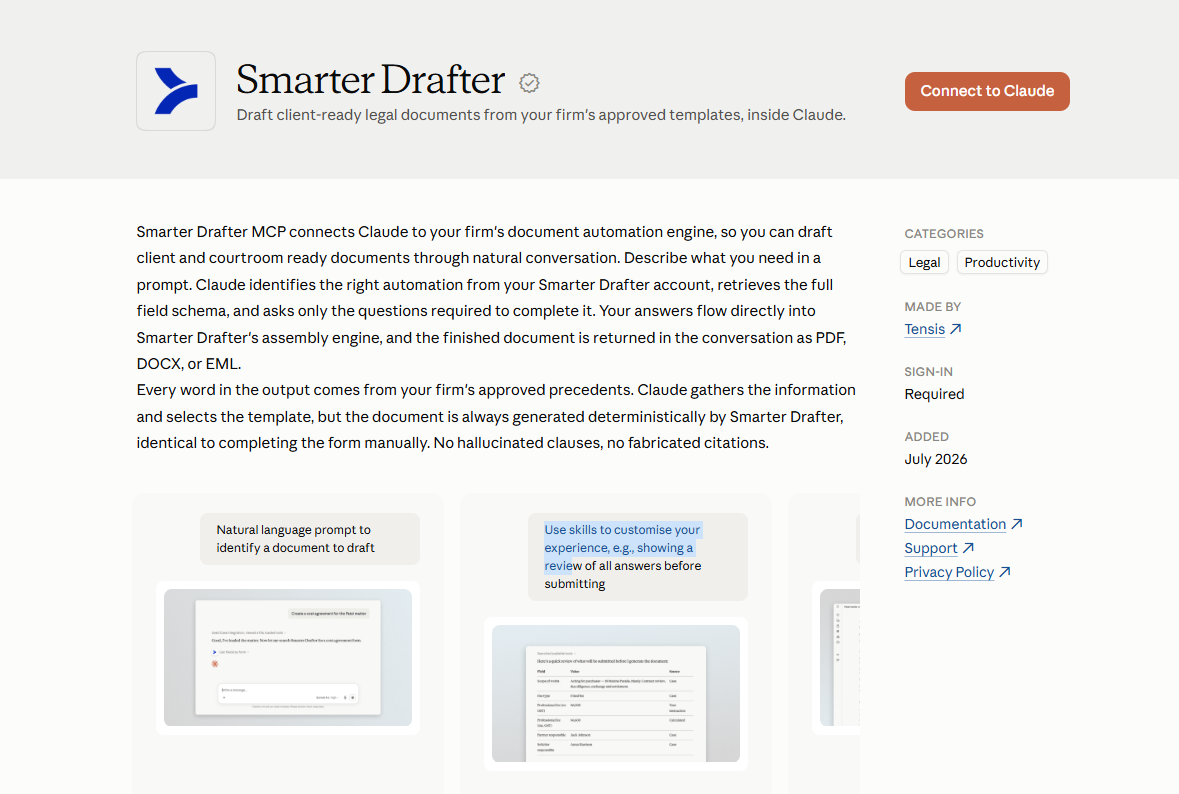
The Smarter Drafter connector lets you draft firm approved documents from inside Claude.
Ask Claude to find the right form, collect the information it needs through a normal conversation, and generate the document. Claude then returns the finished PDF or Word file straight into the chat.
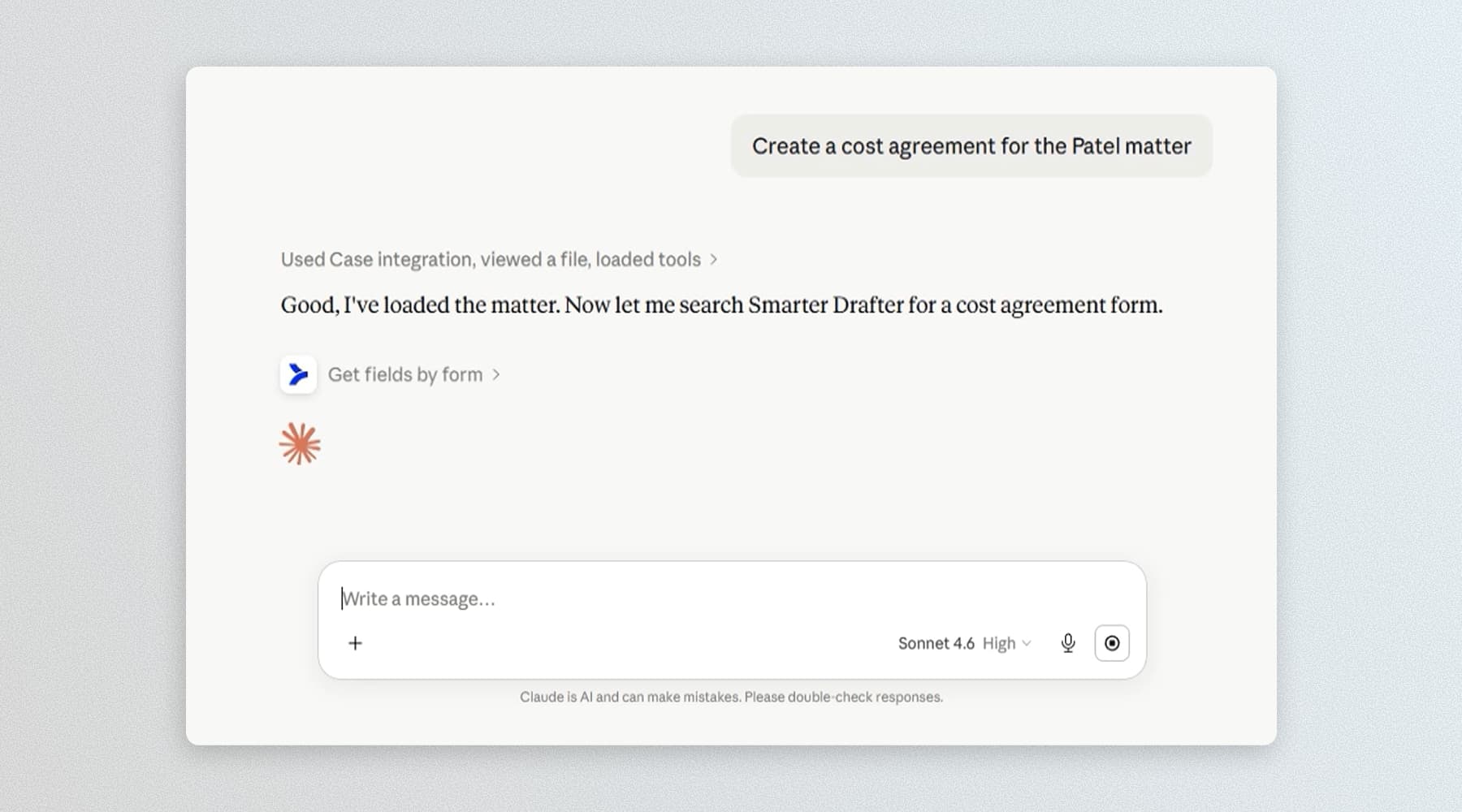
Everything runs in your own Smarter Drafter account, under your own login, with the permissions you already have.
Here is the part that matters. Claude does not write the document. Claude works out what you need and gathers the inputs. Smarter Drafter's automation engine produces the document from your firm's approved precedents. The output is identical to what you would get filling in the form yourself. No hallucinated clauses, no invented citations, no subtly wrong terms.
What you can do
Once connected, you can ask Claude to:
-
Find the right form. Search the published automations in your Smarter Drafter account by name or description.
-
See what a form needs. Retrieve the full field schema before answering anything, including field types, validation rules, selection options, and repeating sections.
-
Draft a document from a conversation. Describe the matter in plain language and let Claude collect the missing details, then submit them to Smarter Drafter for generation.
-
Fix or update answers. Change an individual answer in a draft submission before it is finalised.
-
Hand off long forms. For bigger automations, Claude can submit what it has collected and open the remaining fields in a Smarter Drafter form for you to finish. Better than answering twenty questions in a chat window.
-
Download the output. Get the generated PDF or DOCX returned directly into the conversation.
What the connector can do
Claude picks the right tool automatically based on what you ask. You never need to name them, but it helps to know what is under the hood.
| Tool | What it does | Example prompt |
|---|---|---|
| search_forms | Searches published forms in your account by name or description. | "What forms do we have for leases?" |
| get_fields | Retrieves the full field schema for a form, including types, validations and repeating sections. | "What information does that form need from me?" |
| create_submission | Creates a submission against a form with the answers collected so far. | "Draft a deed of release for Jane Nguyen." |
| update_submission_answer | Updates a single answer in an existing draft submission. Also used for file uploads. | "Change the settlement date to 14 March." |
| submit_submission | Finalises the draft submission and starts document generation. | "That all looks right, generate it." |
| get_documents | Retrieves the generated documents for a completed submission. | "Send me the Word version." |
Step 1: Add the connector in Claude
Smarter Drafter is listed in Claude's connector directory, so most people can add it in a couple of clicks.
- In Claude, open Settings, then Connectors.
- Browse the directory, find Smarter Drafter, and select Connect. If you would rather add it manually, choose to add a custom connector and enter your regional MCP URL:
https://mcp.smarterdrafter.comfor Australia, orhttps://mcp.smarterdrafter.co.for the UK. No trailing slash, no extra path. You will also find the correct URL under Integrations, then MCP Server, in your Smarter Drafter account.uk - Claude redirects you to a Smarter Drafter sign in and consent screen. Sign in if you are not already.
- Review the access you are granting and select Authorise.
- You are returned to Claude with the connector ready to use.
Authentication uses OAuth 2.1 at the individual user level. You see the forms you are permitted to see, actions are attributed to you, and your token can be revoked or rotated without touching anyone else's access.
You can disconnect at any time from the same Connectors settings in Claude.
Step 2: Try it out
Start with something small.
"What forms do we have in Smarter Drafter?"
"Draft a letter of demand for Acme Pty Ltd and send it back as a PDF."
Claude will find the matching automation, ask only the questions the form actually requires, submit the answers, and return the generated document with a download link. If several forms look like a match, Claude will show you the options and ask which one to use.
Troubleshooting
-
I cannot see the option to add a custom connector. On Claude Team and Enterprise plans, custom connectors are controlled at the workspace level. Ask a workspace owner or your IT administrator to enable them, or to add Smarter Drafter for the whole workspace.
-
I cannot see the MCP Server page in Integrations. The MCP Server page is currently open to beta participants and partners. If you think you should have access, speak to your Smarter Drafter account manager.
-
Claude cannot find a form I know exists. Only published automations are discoverable. Draft and unpublished forms will not appear. Check the form is published, and check you are signed in as a user with access to it.
-
Claude is asking questions that do not seem relevant. In the current release, fields are returned as a flat list without branching logic applied, so Claude may ask about fields that would normally be hidden based on your earlier answers. Conditional logic support is coming.
-
Document generation seems to have stalled. Check the submission status in your submission history in Smarter Drafter. If it shows as complete but nothing came back into the chat, ask Claude to retrieve the documents for that submission ID.
-
I am getting an authentication error. Disconnect and reconnect the connector in Claude, then complete the OAuth flow again. If it persists, check your Smarter Drafter account is active and your user has the right permissions.
Privacy and data handling
The connector only touches the forms and submissions you ask Claude to work with, and only what your Smarter Drafter user already has permission to see.
You authenticate with your own Smarter Drafter login using OAuth 2.1. Every action taken through the connector is attributed to you, giving your firm a clear per user audit trail.
Traffic between Claude and Smarter Drafter is encrypted in transit. Smarter Drafter is hosted onshore on Microsoft Azure, is ISO/IEC 27001 certified, and encrypts data at rest.
For full details, see the Smarter Drafter Privacy Policy.
Works with the rest of your stack
The connector does not replace how you work. Because it is built on the open Model Context Protocol standard, it runs alongside the other MCP servers your team uses. Connect Smarter Drafter and your document management system in the same conversation and you can generate a document from your approved precedents and file it into your DMS without switching apps.
Support
If the steps above do not solve it, email support through the Smarter Drafter Help Centre or contact your account manager. Include your Smarter Drafter login domain, your region, and a short description of what you were trying to do so the team can move faster.
Full technical documentation is available at developers.smarterdrafter.com/